¶ Overview
The Base Charting visually depicts the condition of the patient's mouth. Treatment completed by the clinician will also be shown there.
The Base Charting is located in Patient Record (1) → Treatment (2) → Observation (3)
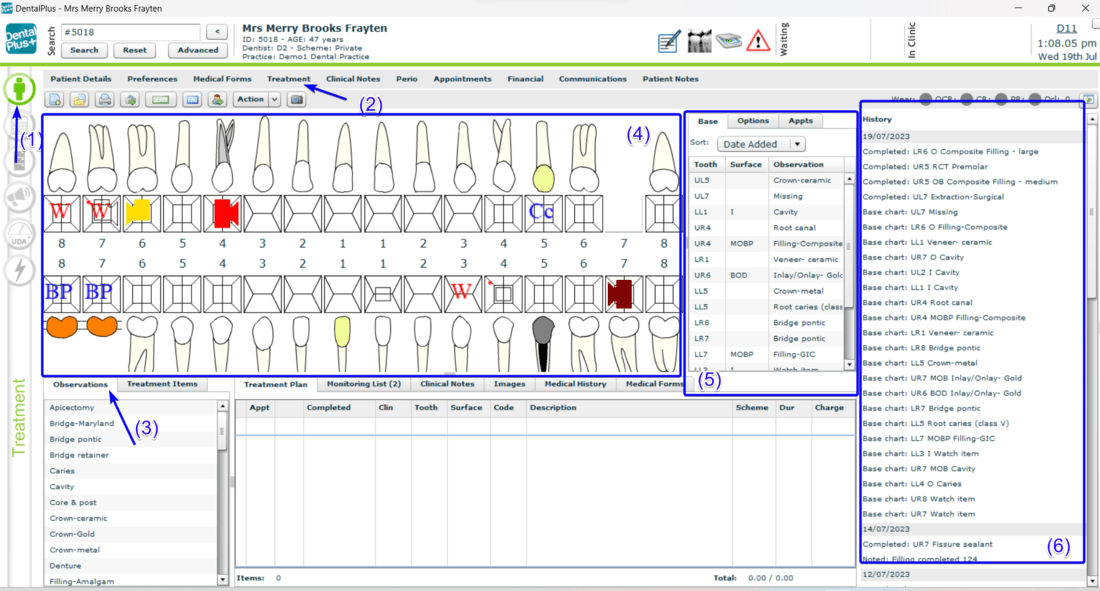
The screen consists of the sections:
- List of observation items (3)
- Graphic chart (4)
- Base list (5)
- Treatments history (6)
The Base list can be sorted by added date, tooth number, quadrant, and observation type using the drop-down menu.
¶ Add item to the base chart
In the Patient Record → Treatment
1. Select the ‘Observations’ section
2. Choose the item in the observation list
3. Left-click on the item will activate the graphic chart ( all teeth become green)
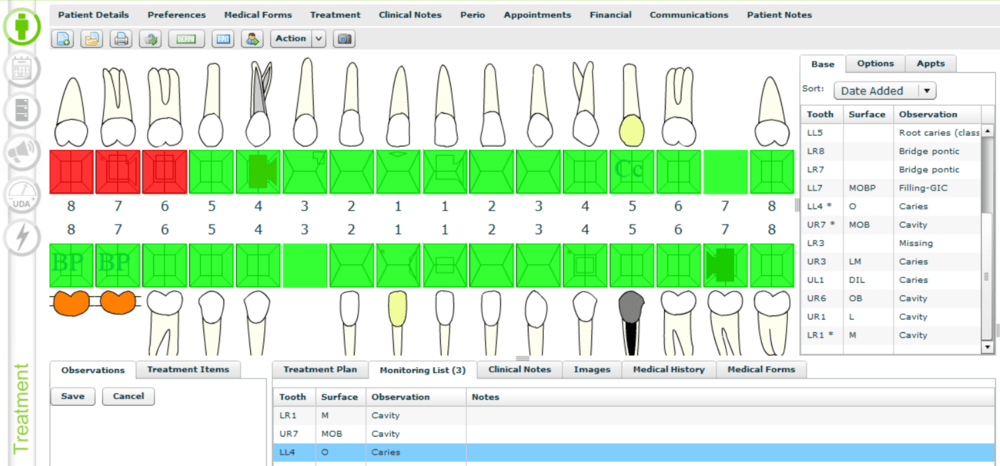
4. Choose the required tooth ( it becomes red) and click ‘ Save’
The observation item will be added to the base chart. It will be displayed both on the graphic chart (4) and on the base list (5).
¶ Delete item from the base chart
In the Patient Record → Treatment
1. Select the ‘Observations’ section
2. Choose the item in the base list (5)
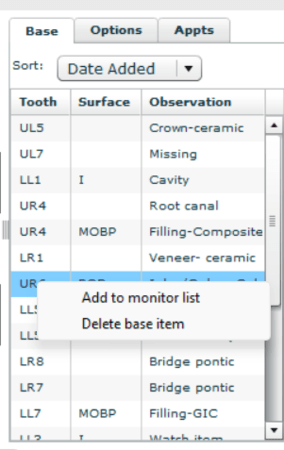
3. Right-click on this item opens the menu
4. Select ‘Delete base item’
An item will be deleted from the base chart
¶ Monitoring list
Using a monitoring list dental practitioners can track patients' progress, detect any changes or complications, and schedule necessary check-ups or interventions.
→ Add to the monitoring list
In the Patient Record → Treatment → ‘Observations’ section
1. Choose the item in the base list (5)
3. Right-click on this item opens the menu
4. Select ‘Add to monitor list '
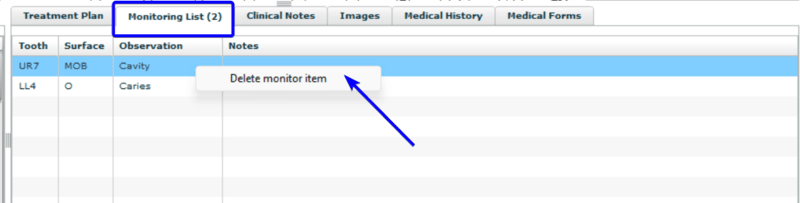
→ Delete from the monitoring list
In the Patient Record → Treatment → ‘Observations’ section
1. Choose the item in the Monitoring list
3. Right-click on this item opens the menu
4. Select ‘Deleter monitor item'
→ Add a note to a monitored item
In the Patient Record → Treatment → ‘Observations’ section
1. Double click on the item in the Monitoring list
2. A pop-up will appear
3. Enter the note in the text box
4. Click “Save”
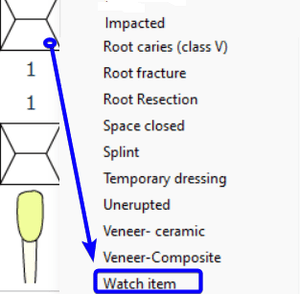
→ Watch item
Any tooth can be marked as a ‘Watch item’ on the graphic chart and a red ‘W’-icon will be in sight of the clinician
In the Patient Record → Treatment → ‘Observations’ section
1. Right-click on the tooth in the Graphic chart
2. Select ‘ Watch item’ at the bottom of the list
4. Red ‘W’ icon will be displayed on this tooth
¶ Treatments history
The treatment history serves as a comprehensive record of all the procedures, interventions and notes administered to a patient over time. Its purpose is to provide essential information for dental practitioners to make informed decisions about the patient's ongoing care and treatment plans.
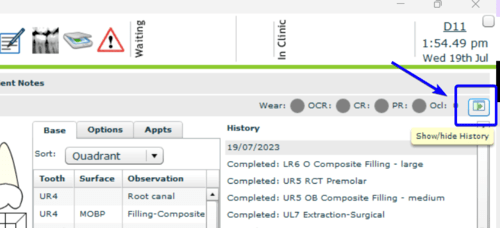
You can hide or show treatment history by clicking the icon in the right top corner.